Airworthiness Directives
Track Airworthiness Directives
AircraftMX searches the FAA Airworthiness Directive database for ADs that may apply to your aircraft and its equipment, based on make, model, serial number, equipment, and STCs. You review each one and record whether it applies and whether it's been complied with.
Important: the list may not be exhaustive, and other ADs may apply. You and your mechanic are still responsible for AD compliance.
Open ADs
Click ADs in the navigation bar, or the Airworthiness Directives card on the dashboard.
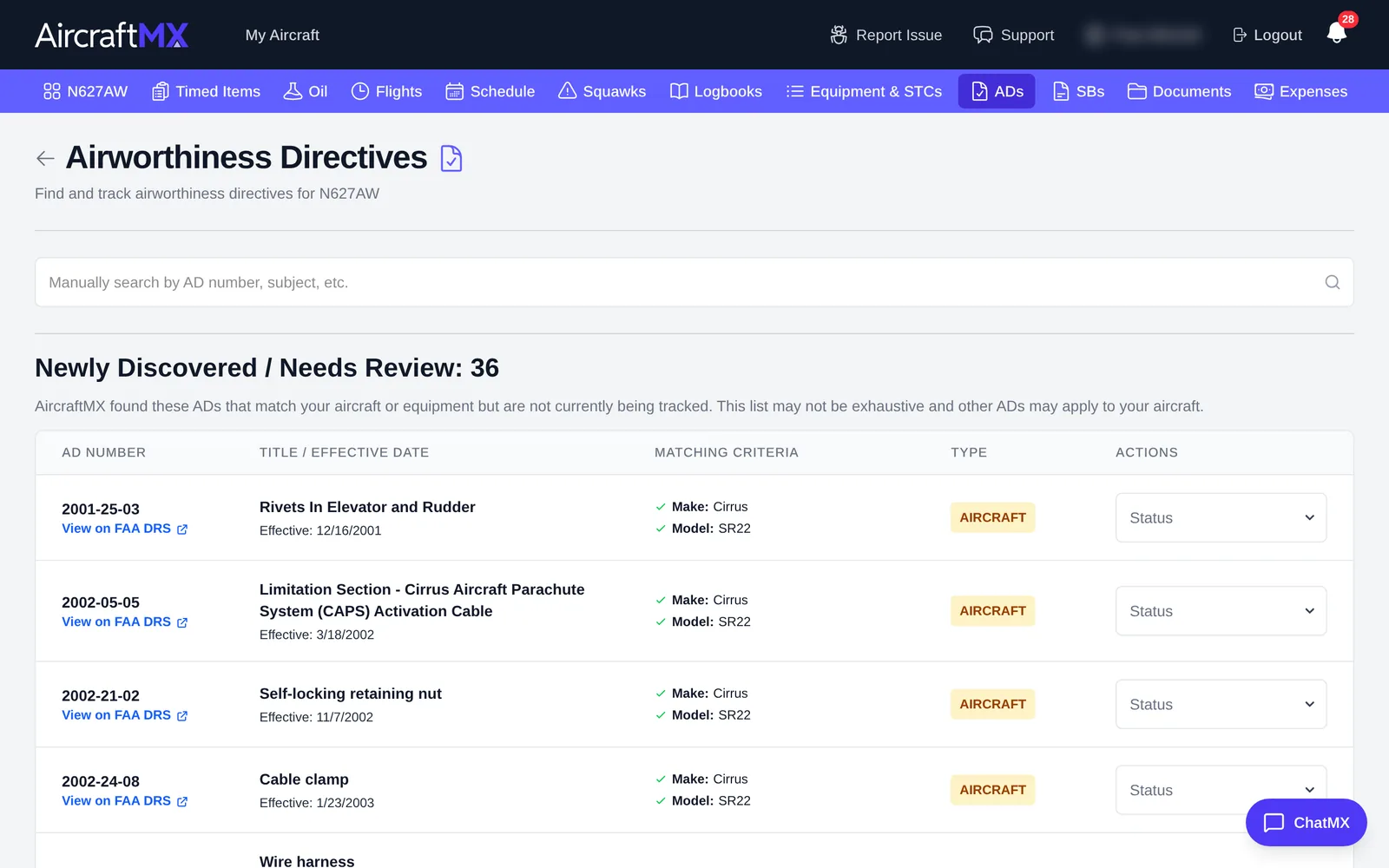
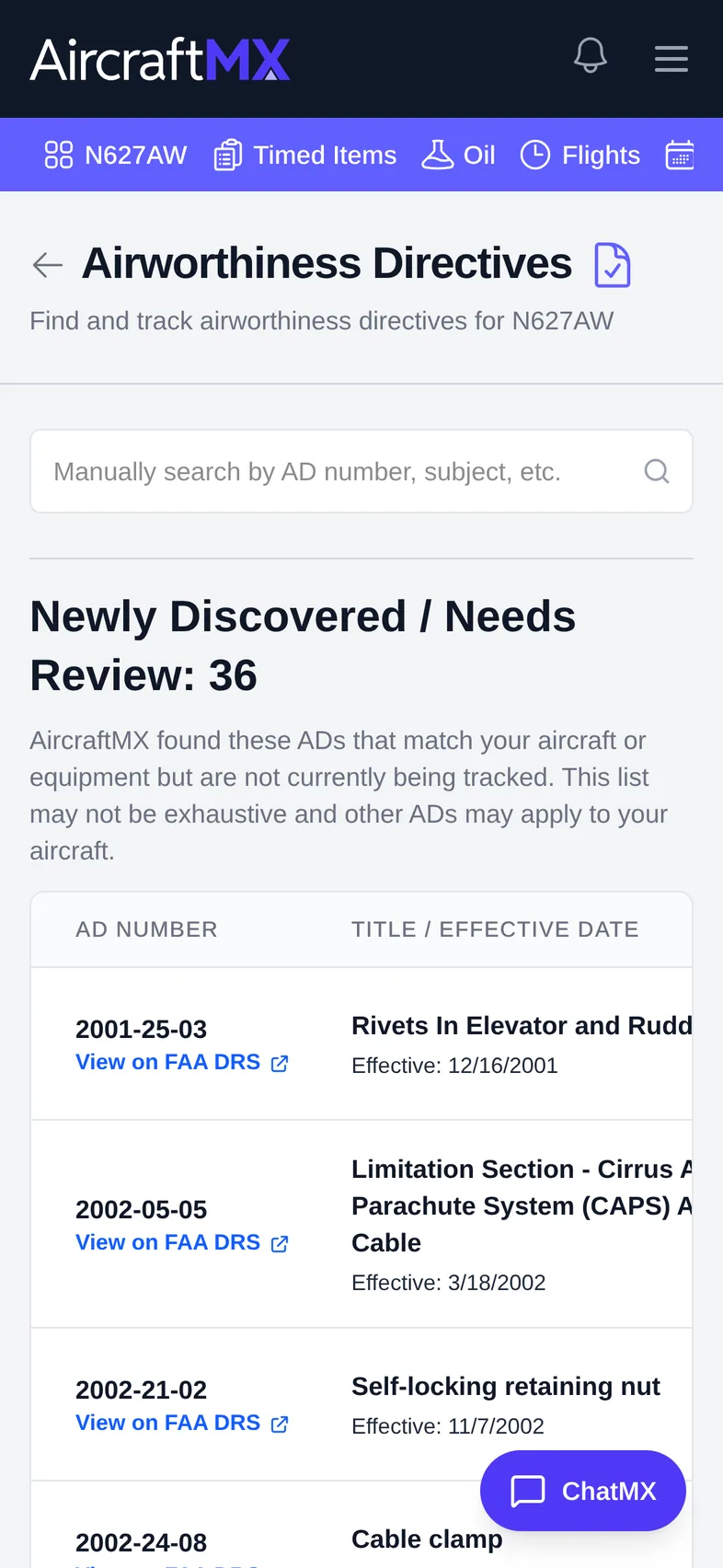
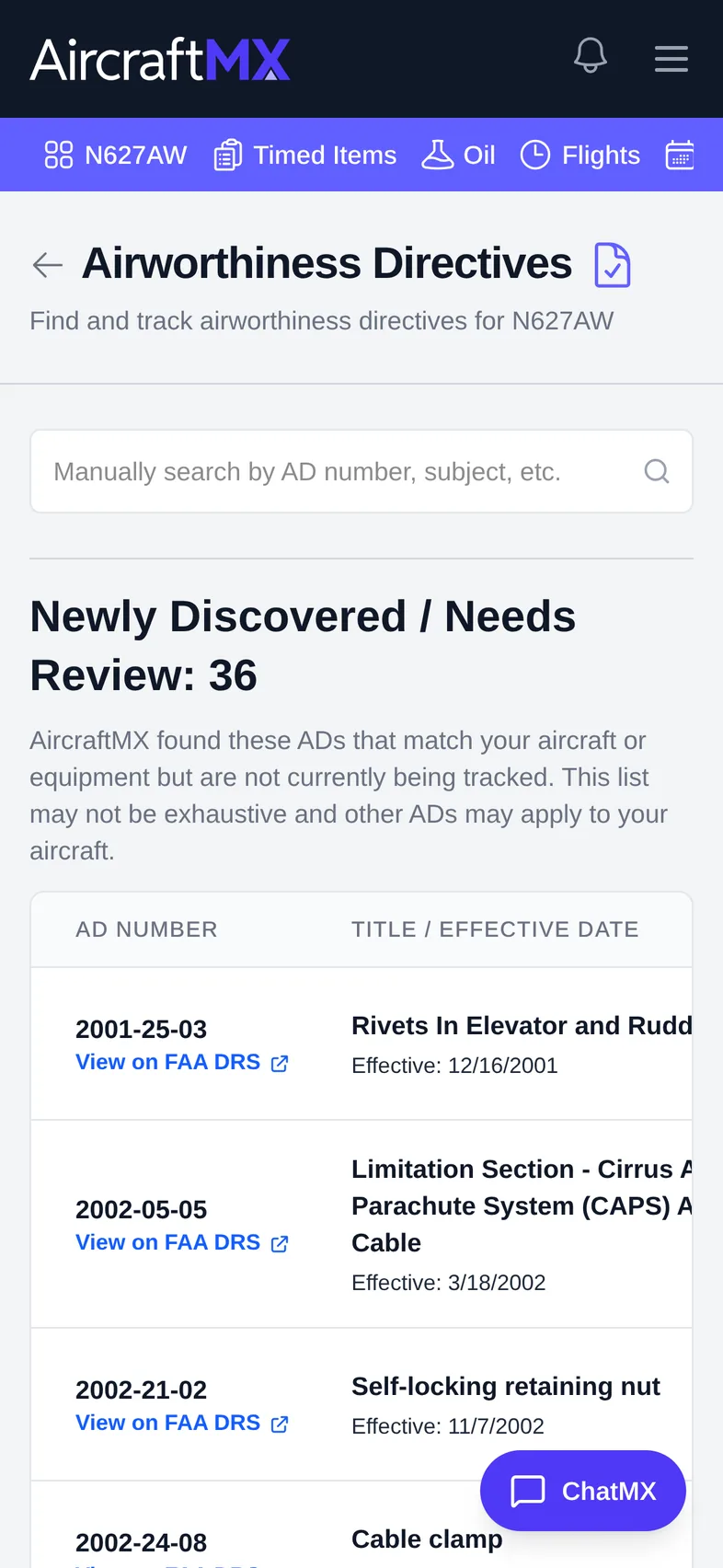
Newly Discovered / Needs Review
This section lists ADs that match your aircraft or equipment but that you aren't tracking yet. For each AD you'll see:
- AD Number, with View on FAA DRS to read the AD
- Title / Effective Date
- Matching Criteria: why it matched (for example Make: Cirrus, Model: SR22)
- Type: for example Aircraft, Engine, or Appliance
- Possible Compliance Found: logbook entries that may show compliance. Click one to open it.
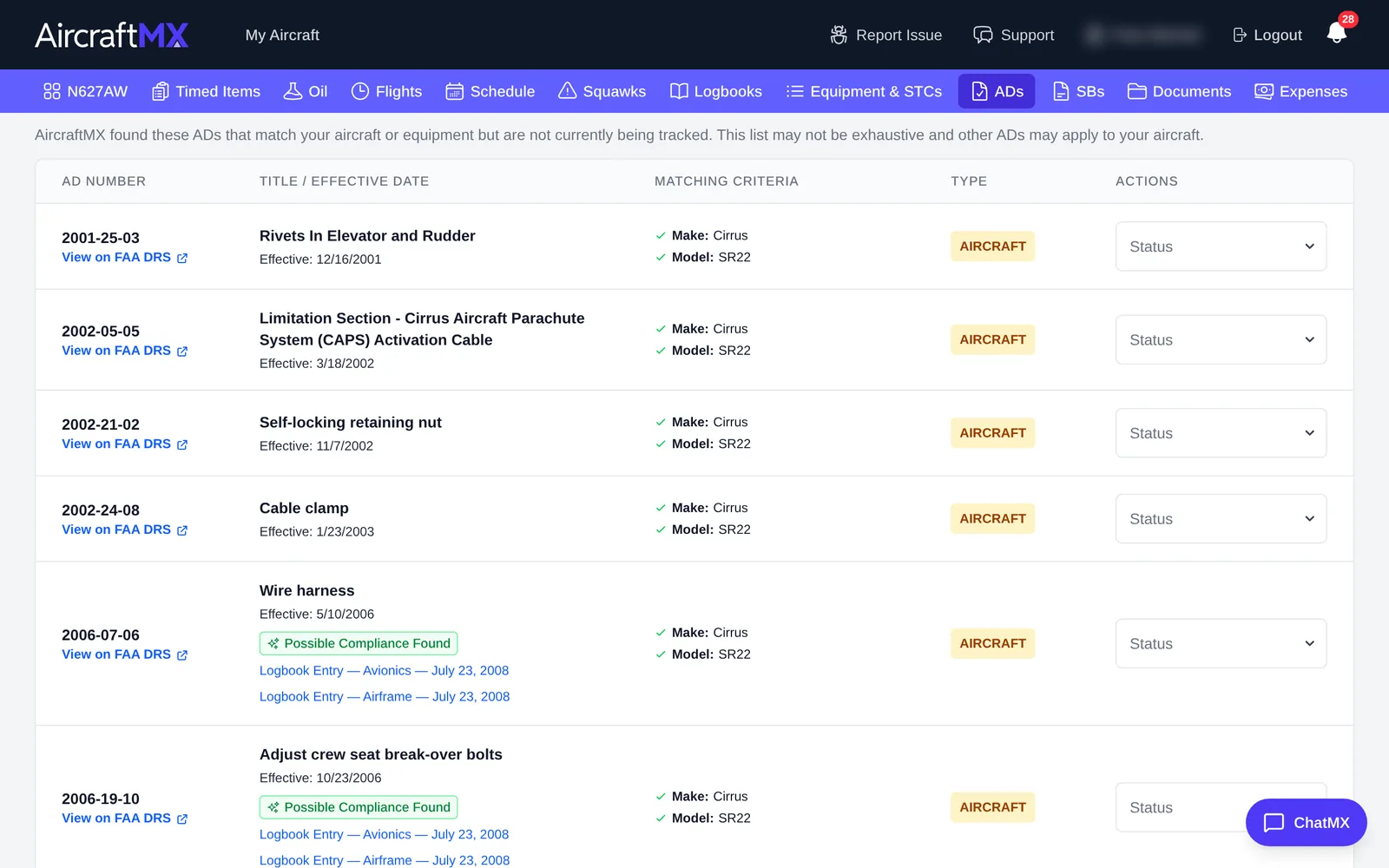
Set the status
In Actions, open the Status menu and choose:
- Reviewing
- Not Complied With
- Complied With
- Not Applicable
Every one of those choices opens Compliance Notes, with the placeholder Enter optional compliance notes here, and Confirm. Notes are optional for all of them. The dialog does not ask for a logbook entry. Deferred is not in this menu. Deferred is offered when you set compliance from a logbook entry, and when you add a service bulletin.
You can also use the search box at the top ("Search by AD number, subject, etc.") to find a specific AD.
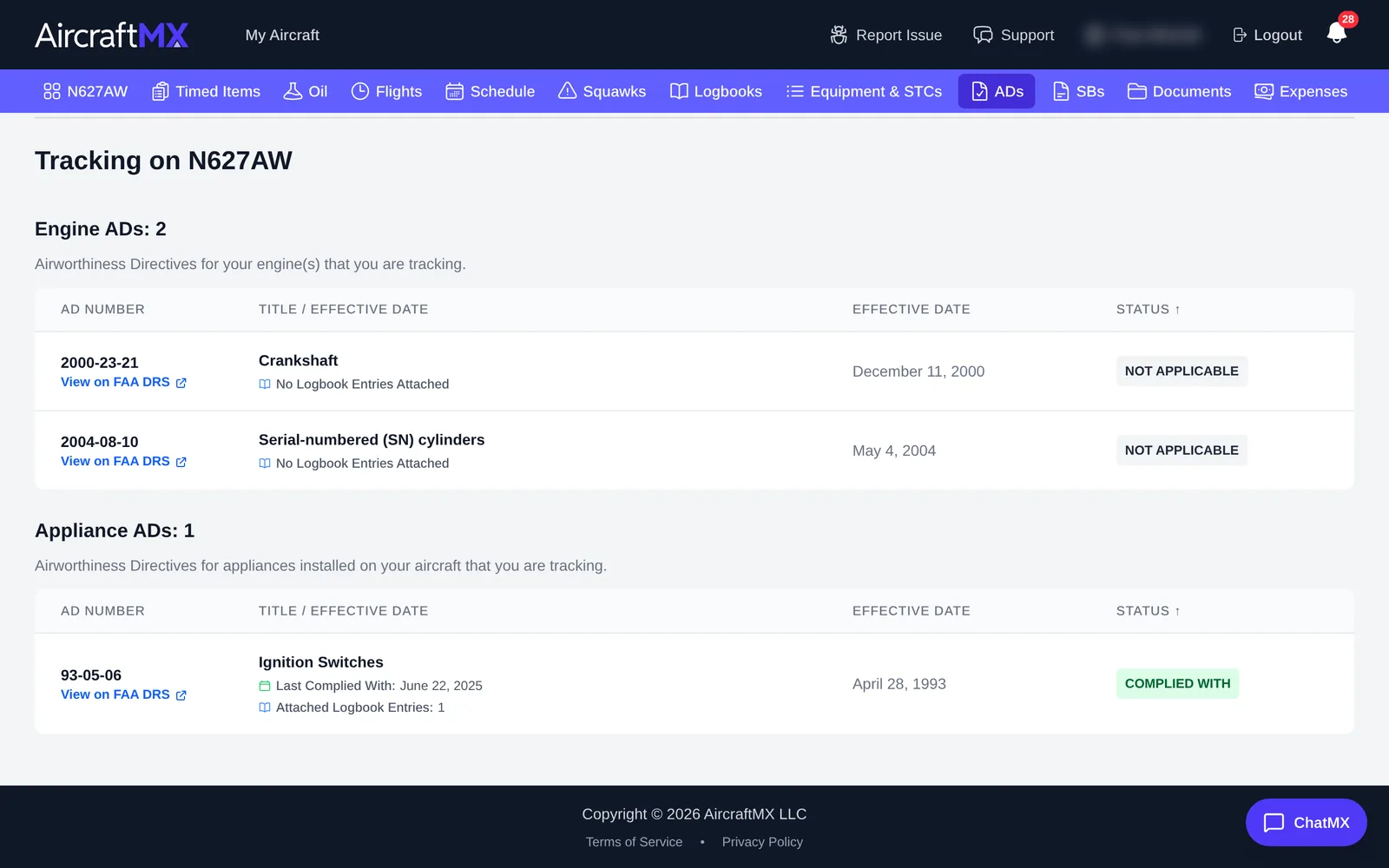
Tracking on your aircraft
ADs you've set a status on move to Tracking on [tail number], grouped by type (for example Engine ADs and Appliance ADs). Each shows Last Complied With and Attached Logbook Entries.
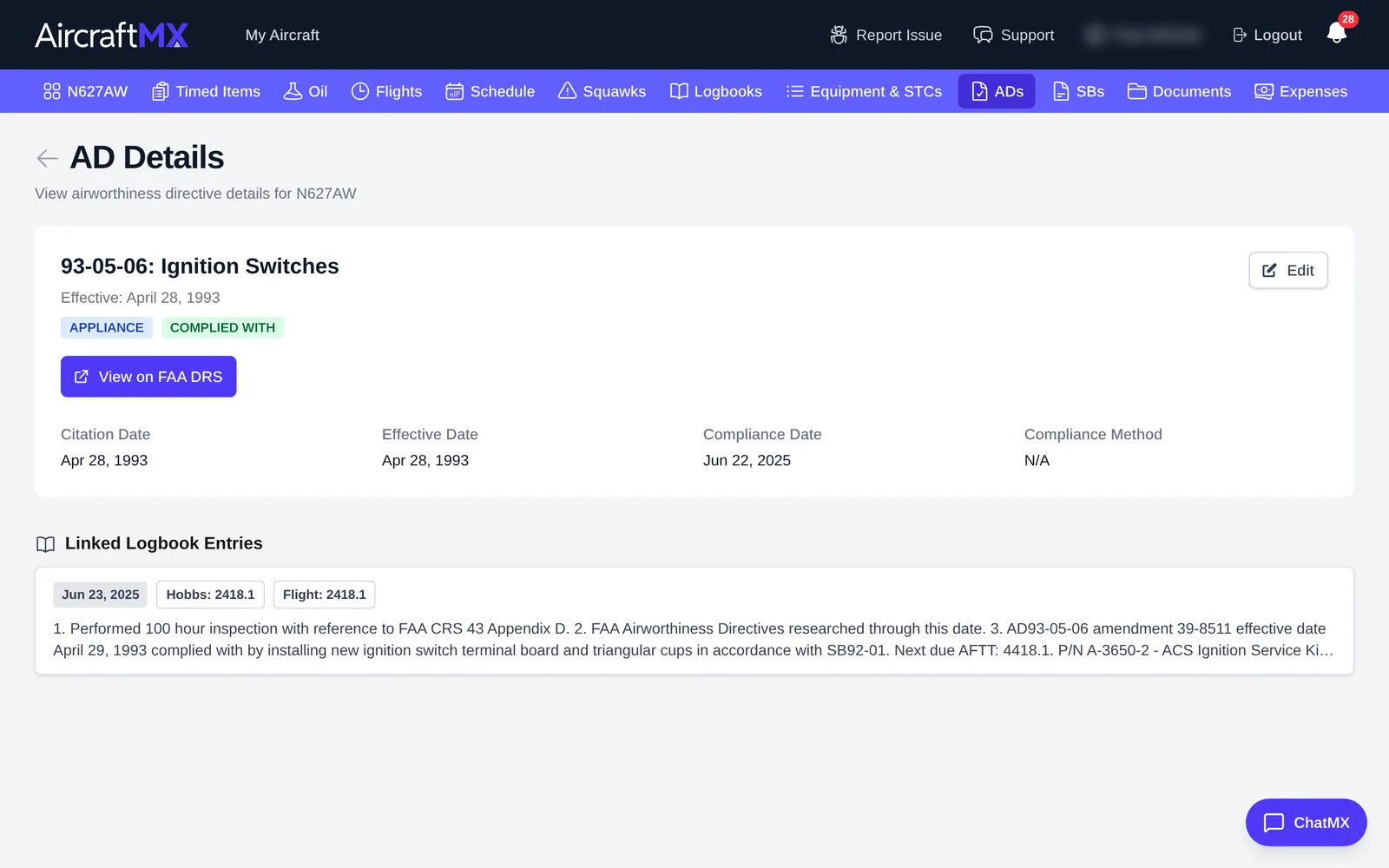
AD details
Click an AD to open AD Details: the citation, effective and compliance dates, compliance method, recurring intervals, and Linked Logbook Entries. Click Edit to change it.
Tip: you can also mark an AD complied with from a logbook entry: search for it under Airworthiness Directives in the entry's Attached Items.
On a phone
On a phone, the AD table becomes a list you scroll; open an AD to change its status.
Still stuck?
Contact us, or use Report Issue in the top bar of the app.